Bringing the full force of your context to bear—with a graph that aids work and decision-making
Your full history of conversations and decisions lives in the context graph—so chat, documents, and plans can draw on everything your team already decided and discussed.
We've been working on the Hamster context graph behind the scenes, and we're excited to share it with you today.
The context graph in practice
Under the hood, Hamster models your workspace as one graph: conversations, decisions, briefs, documents, initiatives, tasks, and people, with explicit links between them. Retrieval follows those relationships—so the assistant pulls context the way work is actually connected, instead of guessing from keywords alone.
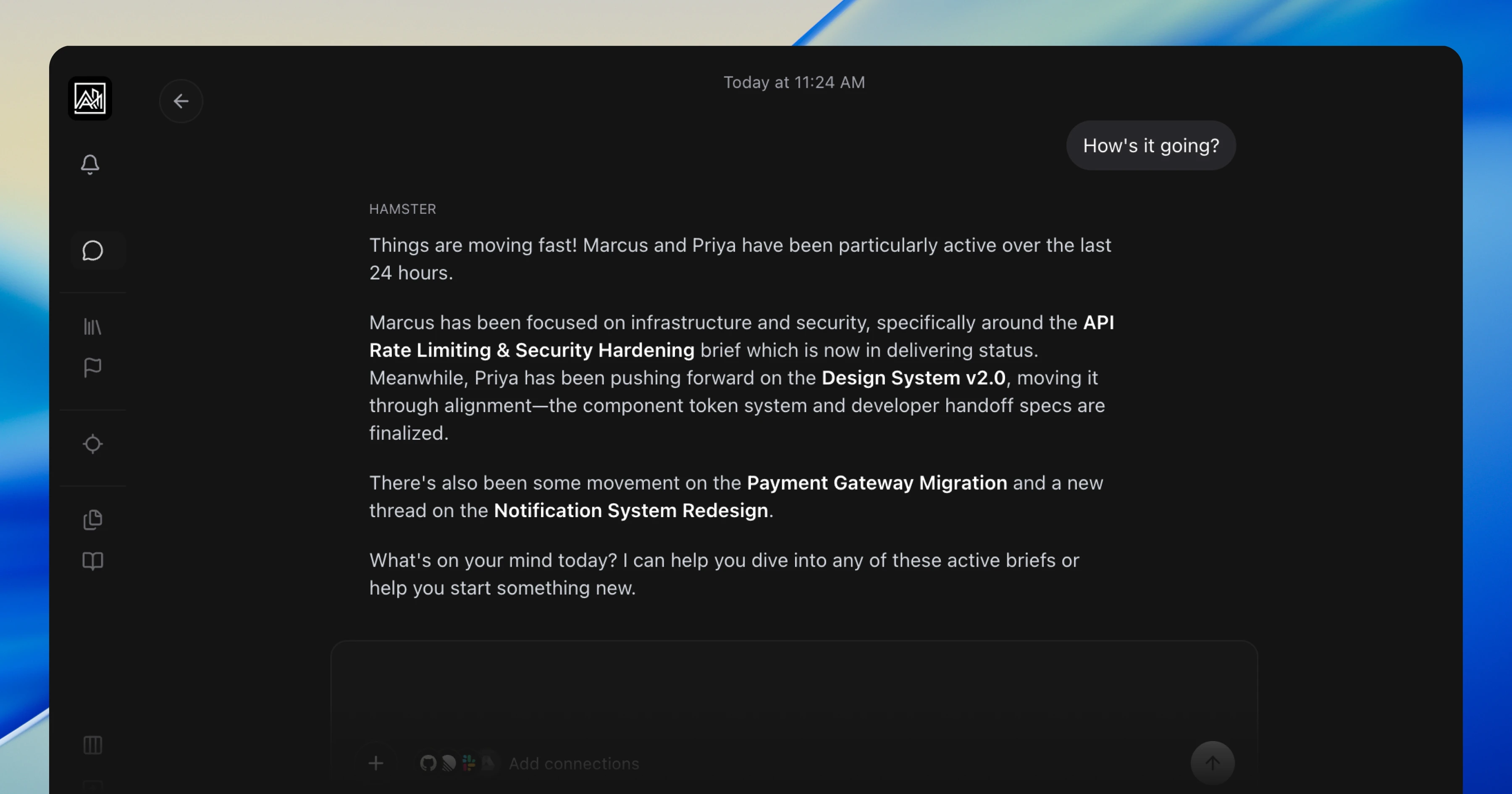
That model shows up everywhere you already work:
- Chat can pull from past threads and decisions, not just the current message—so you are not re-explaining context Hamster already has
- Document generation can cite where a decision came from and thread it through to what you are writing now
- Plan generation can follow discussion → decision → brief → tasks, so the plan reflects the real story of the work
Hamster links document sections as distinct context, not just whole files. Different parts of the same document can map to different entities in your graph, so the system can pull the exact evidence needed for each request—including the conversations and choices that led to each section.
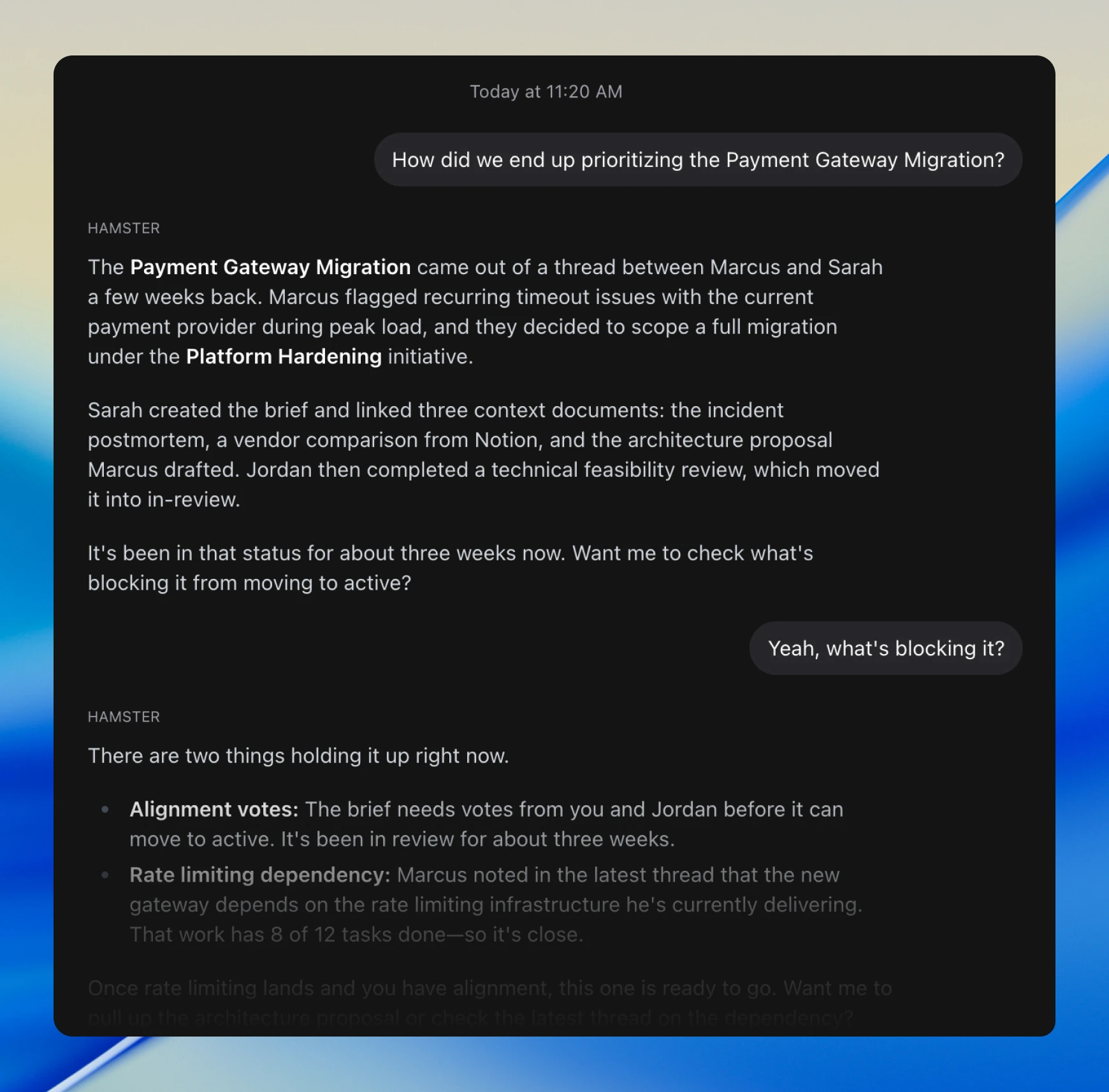
Hamster can also walk neighborhoods in your graph on its own, expanding to related nodes when a question spans more than one part of the workspace.
The graph is team-member aware and time aware, so Hamster can factor in what your team is actively doing right now, what changed recently, and which context is most useful in this moment.
This gives you full traceability across the lifecycle of work: what was said and decided, how that turned into execution, how a brief was delivered, and which release that work ultimately shipped in—so you can always walk back from an outcome to the conversation and rationale behind it.
Initiatives
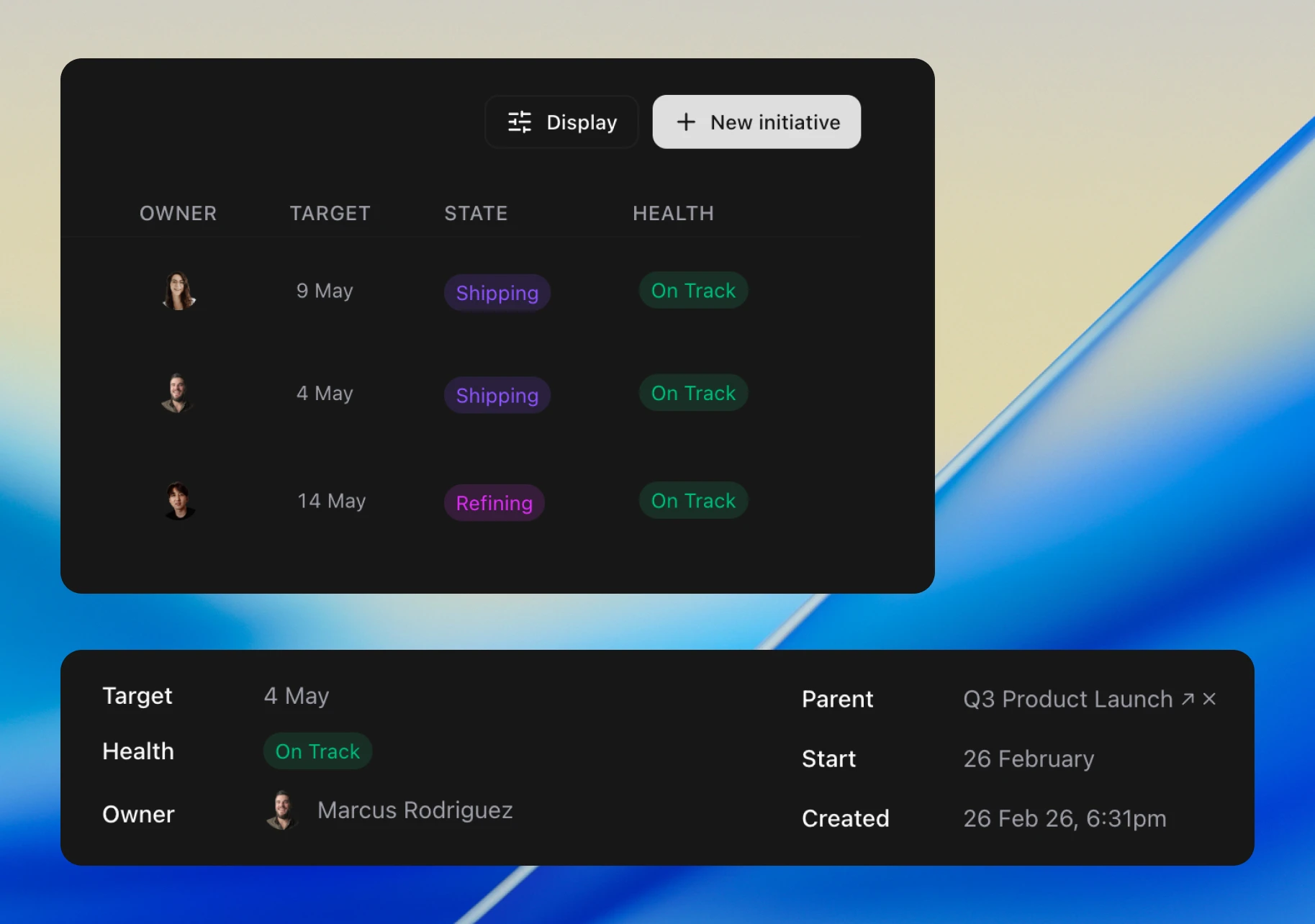
Initiative lists now show who owns each initiative. Assign a team member directly from the list or from the detail page.
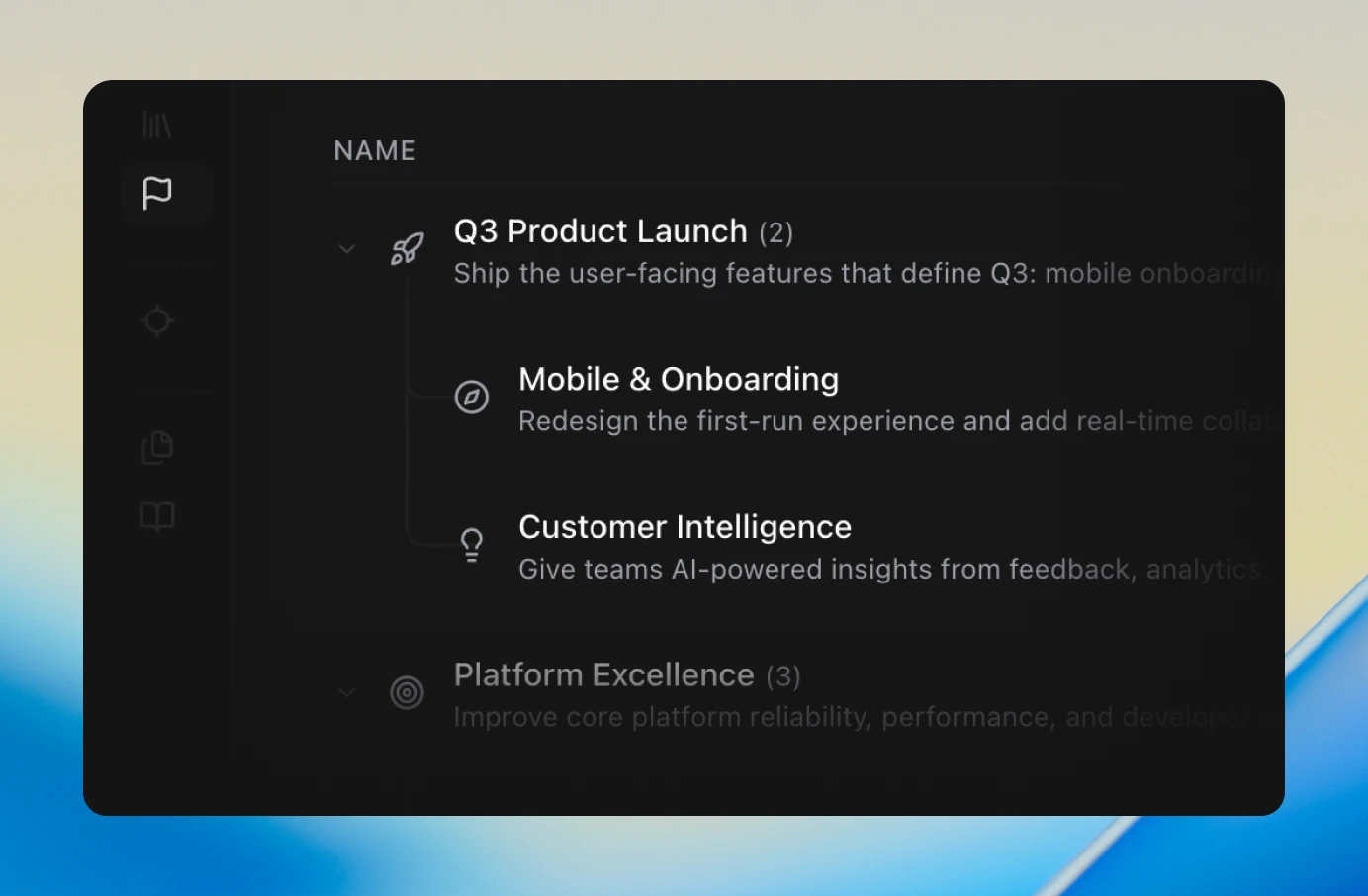
Initiatives now support nesting. Break large efforts into sub-initiatives under a parent, with a tree view that remembers your expand/collapse state.
Improvements
- GitHub connections now show warning badges when the token lacks push or pull request access
- You can now re-sync any URL document from its menu on the Context tab to refresh stale content
- Tags can now be added and removed directly from the briefs list view without opening each brief
- Changing an alignment vote now preserves the original instead of overwriting it
hamster syncnow accepts a brief directly (UUID, slug, or full Studio URL) and auto-initializes when.hamster/is missing- New Linear connections default to disabled until you explicitly enable sync
Bug Fixes
- Fixed activity votes clearing during page refresh
- Fixed chat thread summaries displaying literal
\ninstead of line breaks - Fixed the initiative link dialog showing briefs that were already linked
- Fixed live updates pausing and flickering during network reconnects
- Fixed pasted images disappearing after sending a chat message