See your plan take shape as Hamster builds it
The redesigned Plan tab shows each phase of generation, plus Figma integration for briefs and blueprints.
Plan Tab Redesign
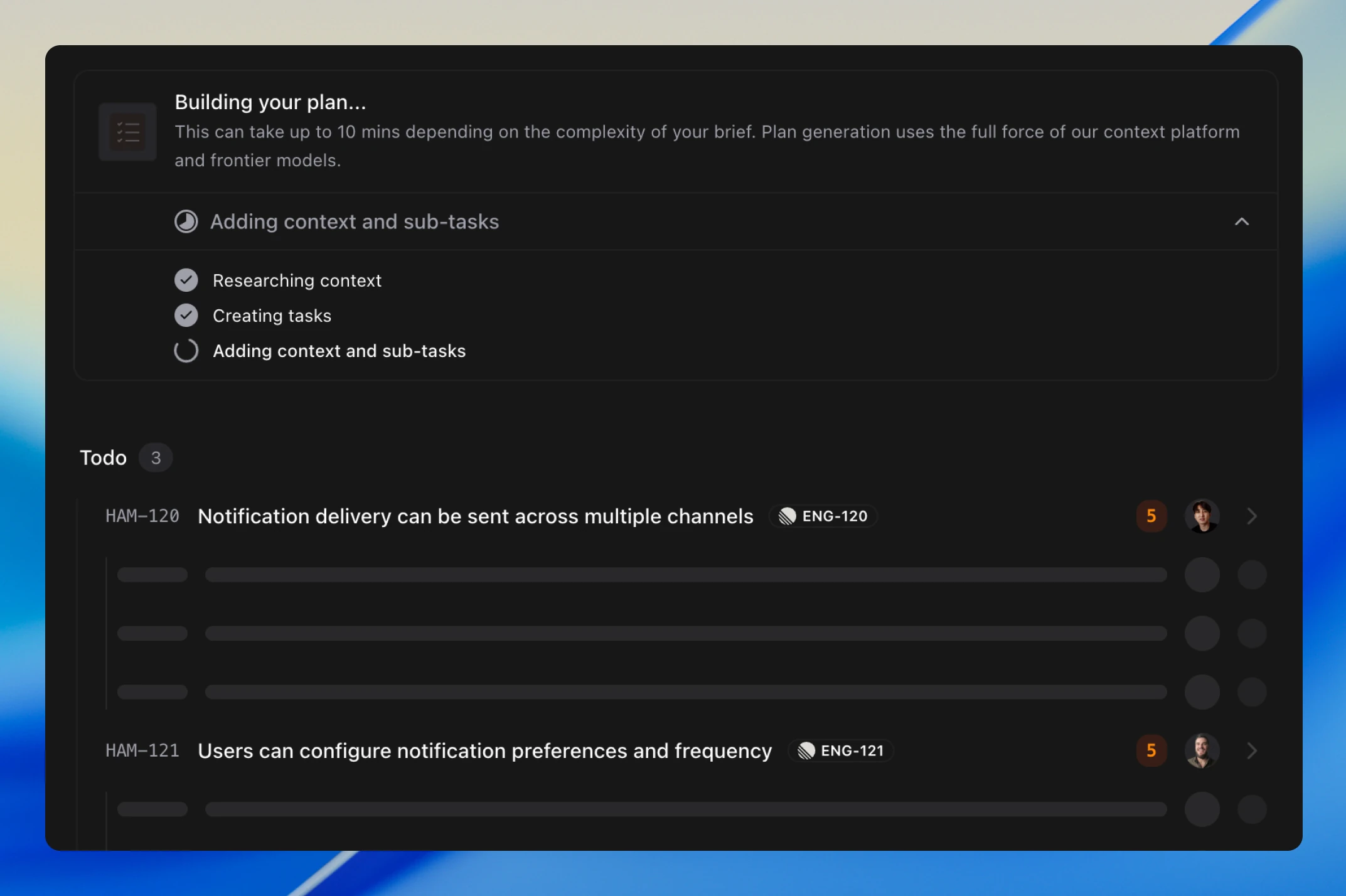
Plan generation used to be a black box. Now you can watch it happen: each phase is tracked, and tasks stream into the list as they're created.
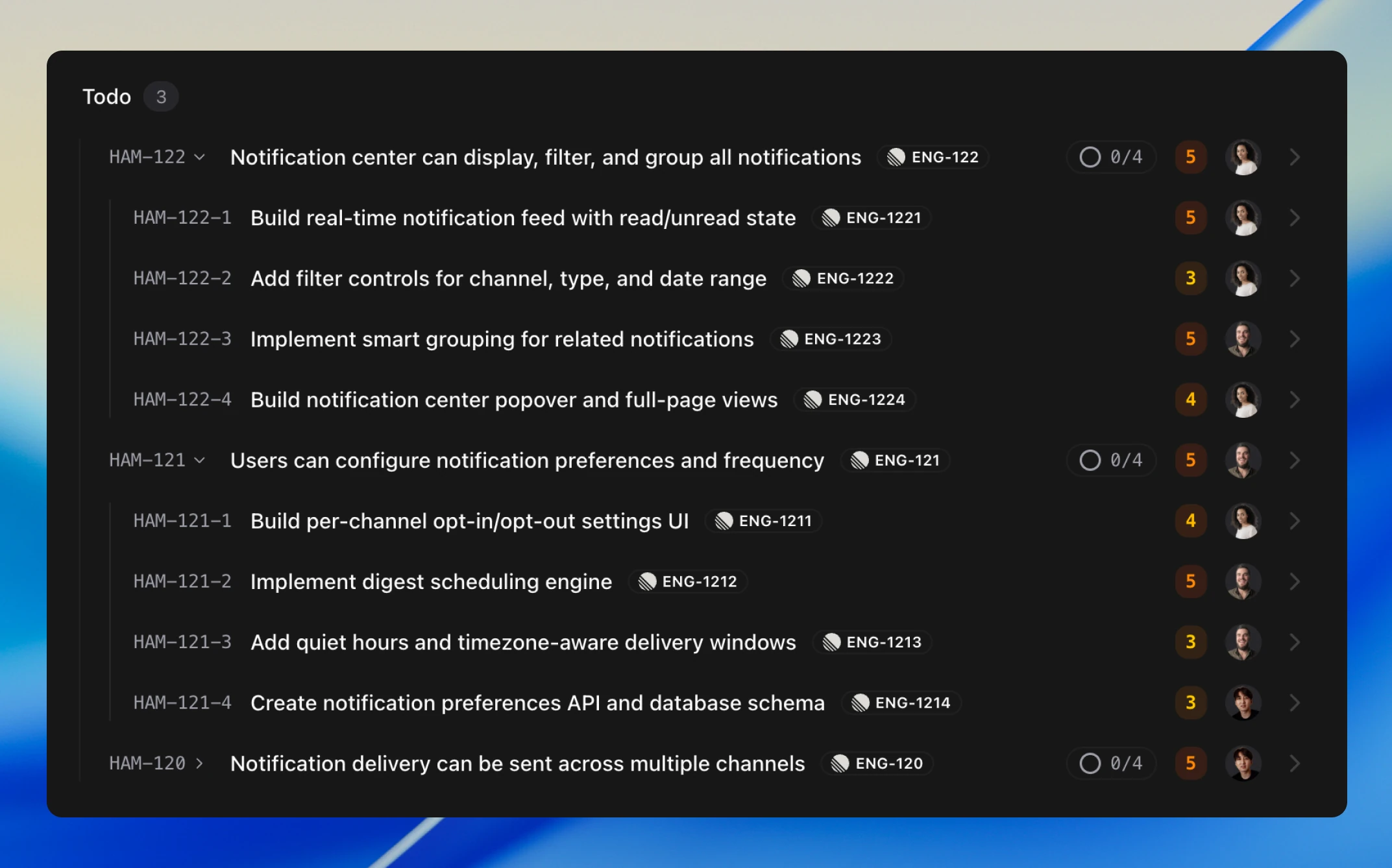
Once generation completes, you have a full plan ready to work from. Parent tasks break into subtasks, each with an owner and clear dependencies.
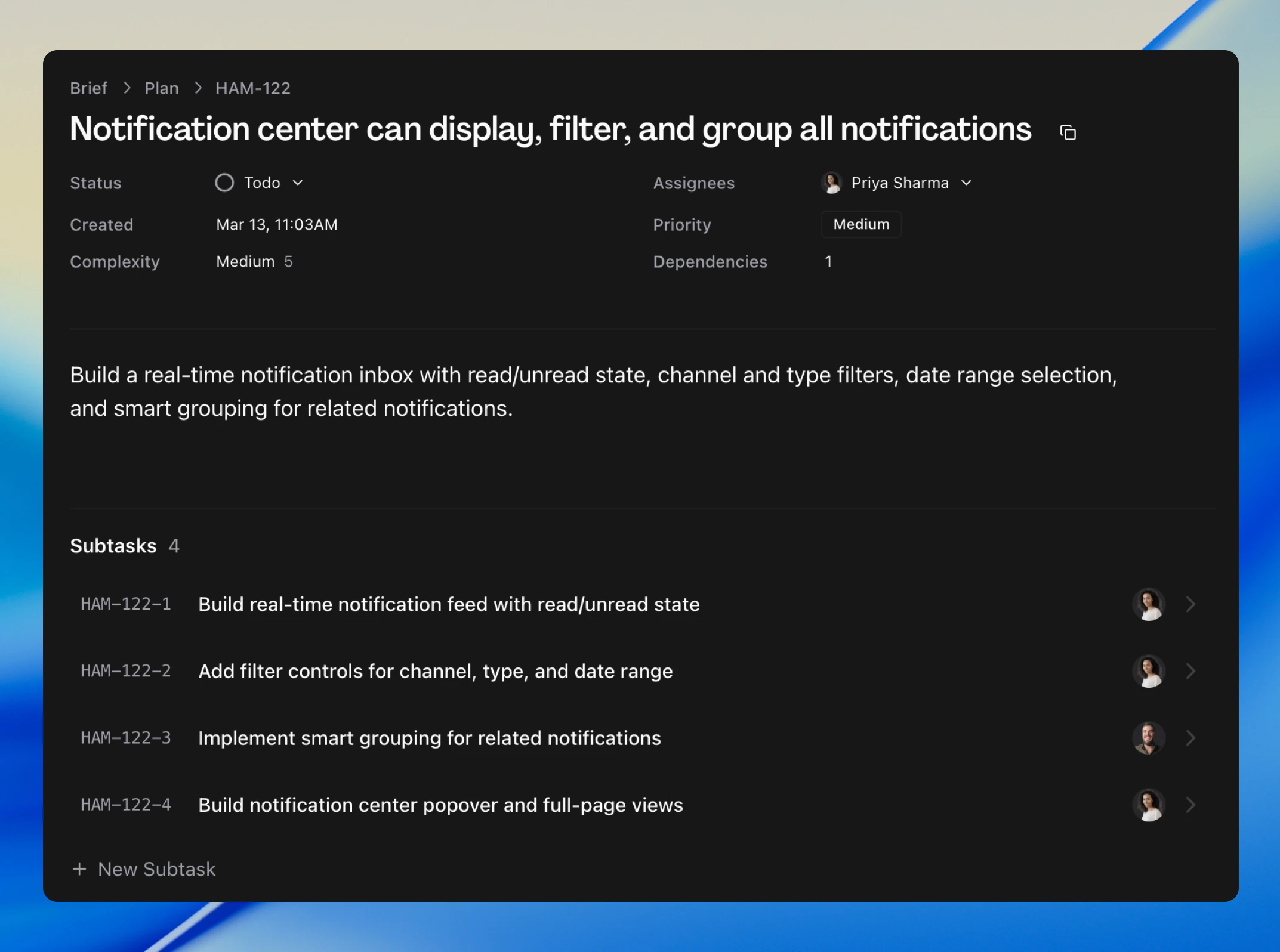
Open any task to see the full picture: what needs to happen, who owns it, and what it depends on.
Brief Management from Chat
You can now manage briefs directly from chat. Mark a brief as ready, cast an alignment vote, or notify your team. Type "mark this brief as In Review and let the team know" and it's done. Learn more about briefs.
Figma Integration
Agents can now reference your Figma design files when generating briefs and blueprints. If a brief mentions a specific screen or component, Hamster pulls in the relevant designs instead of working from text alone.
Connect Figma from your team's connections page or the Context tab.
Improvements
- Hamster retains memory of your conversation across turns and references earlier requirements correctly
- Hamster distinguishes between proposing something and actually doing it
- Chat suggestions are now enabled by default
hamster team switchandhamster team listlet you manage teams from the terminal- Search results now rank more accurately
- Invite up to 25 team members at once (previously 5)
Bug Fixes
- Fixed Hamster failing to read files and images uploaded in earlier messages
- Fixed documents containing blockquotes, tables, or task lists drifting on each edit cycle